

Search our A to Z people directory and follow links to evidence and related investigations.
Browse the Names IndexInvestigation Desk
Every investigation starts with a question. Pull up a chair.
Open the records. Trace a photograph. Compare testimony. Follow a lead until you can show exactly what supports it.
Your tools, guides and research collections are gathered here. Choose the route that fits your question.

Identity & Insurance Documents
Find identity, insurance and registration records in one place. The document index brings together linked articles, exact file and page references, verified record types, duplicate notes and remaining source gaps.
Research by topic
Choose a topic for research tools, source links and verification guidance.
Your First Investigation
Keep the question narrow. Let the records do the talking.
- Choose one specific question and a guide that fits it.
- Find the original record and read the surrounding pages.
- Check dates, identities and context against other sources.
- Save the source URL, document ID, page number and relevant passage.
- Write what the evidence establishes, what remains unanswered and which record you need next.
Investigation Guides
Explore practical guides to tracing records, examining evidence, checking sources and reconstructing investigations.
Browse Investigation GuidesWhen to start here
Choose a guide that fits your question. Learn how to follow document numbers, investigate missing records, compare testimony or plan a public records request.
Research Tools
Open these independent tools directly. Use their results as leads, then read the original record before citing a claim.
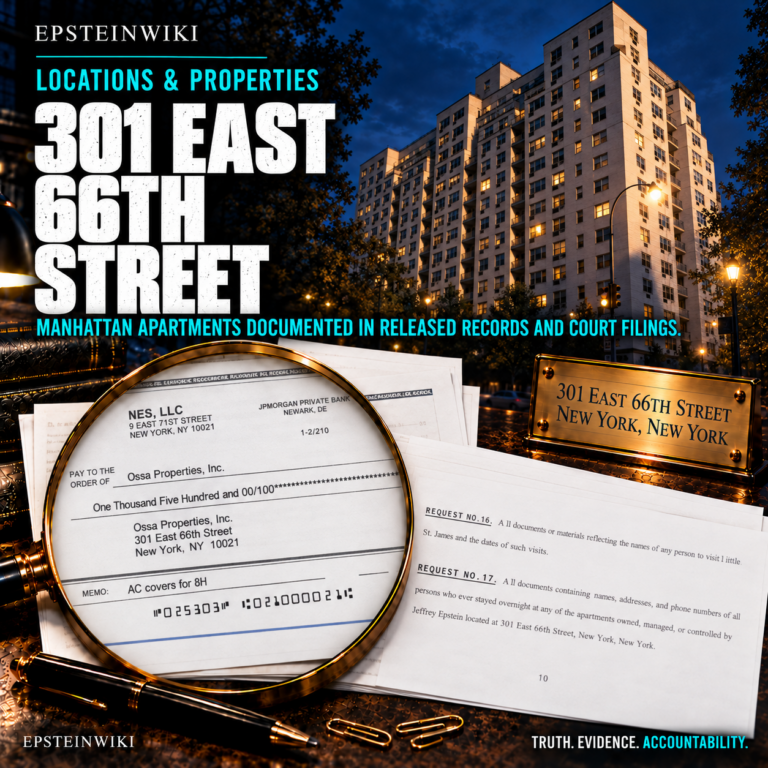
301 East 66th Street Apartment Timeline
Explore the apartment occupancy timeline for 301 East 66th Street using source-linked roster snapshots, moves and guest-arrival records. Move the date slider, select a filled unit and open its cited documents.
Working draft. A blank unit means it was not recorded in that list, not that it was empty. Redactions vary between copies. Verify dates and occupant labels against the original records; inclusion does not establish wrongdoing.
Open Apartment Timeline ↗
Ask Epstein Data AI
Type a question in plain English and select ASK. Follow the document citations in the answer and compare them with the source pages.
AI summaries can be wrong. Queries go to external AI services, so do not enter personal information or private survivor details.
Open Ask Epstein Data AI ↗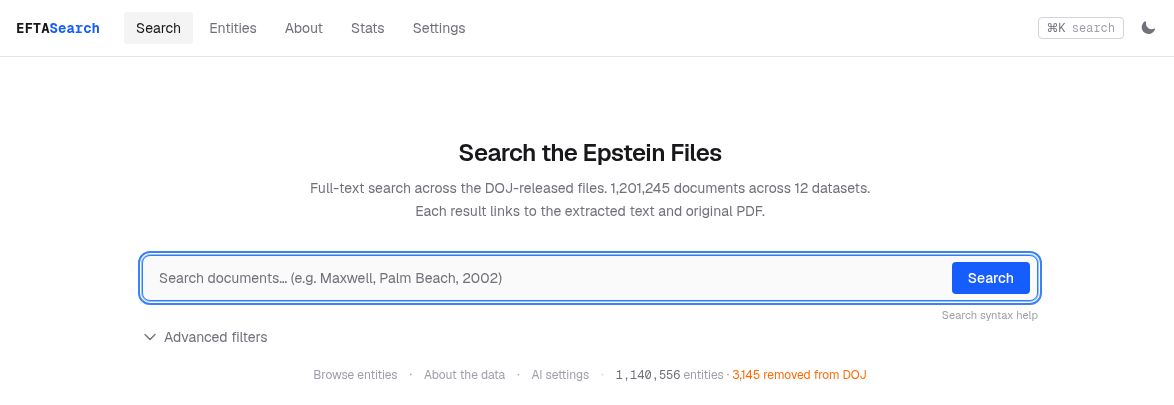
EFTA Search
Enter a name, phrase or document identifier and select Search. Use Advanced filters to narrow by email fields, dates or dataset. Open the extracted text and original PDF from a result.
Check important words and numbers against the page image. Extracted text can contain errors, and a missing result does not prove a record does not exist.
Open EFTA Search ↗Epstein Map
Select a country on the map to view document mentions, location breakdowns and sample EFTA citations. Open the cited PDFs and read why the place appears.
The map counts mentions, including incidental references. It is not a travel log, and a location appearing in a record does not establish wrongdoing.
Open Epstein Map ↗Justice Monitor
Choose an event category or use the PERSON filter. Open the linked report, check its date and follow it to the official filing or announcement where available.
This is an automated, unedited news tracker. Its classifications can be wrong. Inclusion does not establish wrongdoing or confirm a legal outcome.
Open Justice Monitor ↗
Search emails
Enter a name or phrase in Jmail’s search bar. Use From, To and the date filter to narrow the results, then open an email and read the surrounding thread.
Compare extracted text with the original released document before quoting it. A name appearing in an email does not establish wrongdoing.
Open Jmail ↗
Search communications
Use Search or choose a conversation to explore text messages. Open Data attribution in the conversation to review the source project and its name attribution notes.
Some identities are explicitly uncertain. Check attribution, timestamps and original records before citing messages, and protect private survivor details.
Open JMessage ↗Epstein Files Tools
Find tools for searching released documents, emails, photographs, flight records and Epstein research collections.
Search the Epstein FilesWhen to start here
Start with a name, date, EFTA number or claim. Open the original record and read the surrounding pages before drawing a conclusion.
OSINT Investigation Tools
Research companies, court cases, public records, photographs, webpages and locations with open source tools.
Open the Tool ChestWhen to start here
Use these resources when a lead takes you beyond the Epstein files. Check identities, locate original sources and preserve the records you find.
Read the Evidence
Compare the source words, examine scholarly research and follow formal findings back to the record. Look up a term.
Evidence Transcripts
Explore transcripts of recordings, interviews, testimony and depositions, plus transcription indexes prepared by sleuths.
Explore Evidence Transcripts Browse Sleuth TranscriptionWhen to start here
Compare the transcript with its original recording or document. Check speaker names, page numbers, timestamps and uncertain passages.

Academic Research
Find scholarly analysis and research related to the Epstein network, institutions, exploitation and survivor experiences.
Explore Academic ResearchWhen to start here
Check the author, publication date, methods and references. Identify whether the work is peer reviewed, a preprint, a thesis or commentary.
Investigation Guides
Explore practical guides to tracing records, examining evidence, checking sources and reconstructing investigations.
Browse Investigation GuidesWhen to start here
Choose a guide that fits your question. Learn how to follow document numbers, investigate missing records, compare testimony or plan a public records request.
Identity & Insurance Documents — Open the Identity, Insurance and Registration Document Index for linked articles, exact file and page references, verified record types, duplicate notes and remaining source gaps. Use the category link to browse related articles.
Check a Claim
Reverse Image Search
Use Epstein Data’s image search to look for matching photographs in its indexed evidence collection and follow links to the source records.
Open Reverse Image SearchWhen to start here
Start with a photograph you want to trace. Compare any matches with the original record and check the document ID and surrounding pages. A visual match alone does not confirm a person’s identity, the date or the location.
Fact Checking Desk
Check an image, search a name and trace an EFTA number with step-by-step instructions. Read the latest fact checks and use the before-you-share checklist.
Open the Fact Checking DeskWork With Other Sleuths
Explore connected research and see what fellow sleuths have uncovered.
Featured evidence investigation
The Citizens of TerraMar
Explore the 85 people publicly presented as founding citizens by Ghislaine Maxwell’s TerraMar Project in 2012. These sourced records distinguish the original promotional roster from independent passport evidence and from any documented Epstein connection.

The Sleuth Exchange
Explore the Sleuth Exchange, a curated collection of research and reporting. Find a starting point, follow links to the original work and check its sources.
Search the Sleuth Exchange
Investigation Hub
Explore research topics, evidence collections and questions that need further investigation.
Open the Investigation HubWhen to start here
Choose a topic and follow its related articles. Review the evidence links and note where additional records or corroboration are needed.

EpsteinWiki Sleuth Center
Browse sleuth reports, research findings and evidence trails shared through the wiki.
Visit the Sleuth CenterWhen to start here
Read a report that interests you, follow the original researcher and examine its cited evidence. Use unanswered questions as starting points for further research.