
We Built the Epstein Email Inbox Jeffrey Hoped Nobody Would Ever Read
Six of his accounts, two leaked mailboxes, 715,000 email records, and one very nosy kitty with a search bar.
Let’s be honest. The Epstein files were never designed to be read. They were dumped. Millions of scanned pages, sideways PDFs, copies of copies, and names misspelled by machines that clearly did not care. If you have ever tried to follow one email thread through the DOJ release, you know the feeling. It’s like trying to read a diary someone put through a shredder and then mailed to you one strip at a time.
So we fixed it.
Meet the Epstein Email Inbox, the newest free tool on EpsteinWiki. It reads like your own email. You search, you click, you read. No downloads, no login, no paywall. Here’s a tour of everything it can do.
One Search Bar for Everything
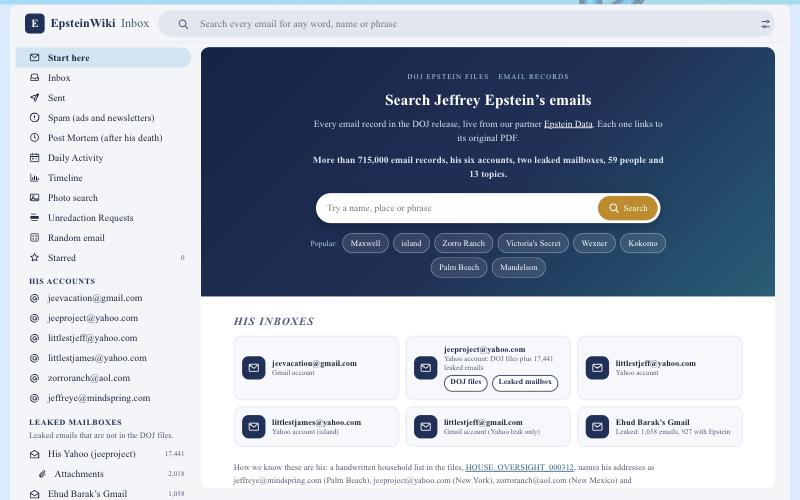
Start on the front page of the inbox and you get one search box that covers more than 715,000 email records from the DOJ release, pulled live from our partner Epstein Data. Every email links back to its original record and PDF, so you never have to take our word for anything.
Down below, you’ll find his inboxes laid out like tiles: jeevacation@gmail.com, jeeproject@yahoo.com, littlestjeff@yahoo.com, the island account littlestjames@yahoo.com, and more. A man with this many email accounts was clearly very busy. We’re now very busy reading them.
Search Once, See Every Source
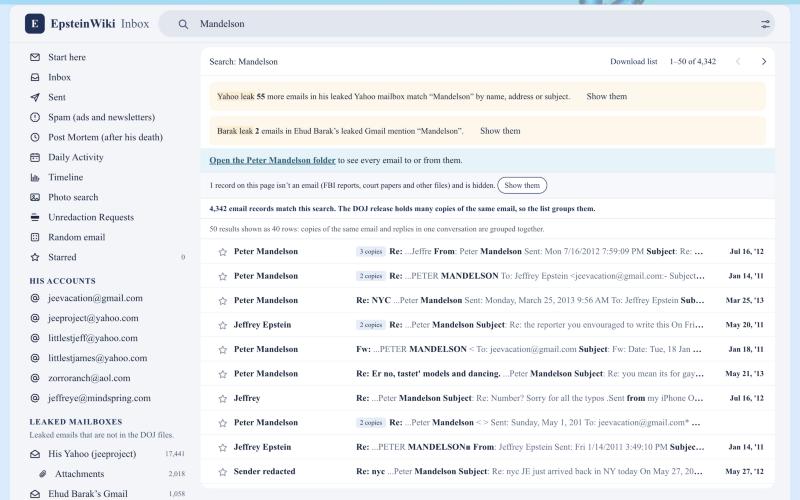
Here’s where it gets good. Type a name like Mandelson and you get 4,342 records from the DOJ files. Then the inbox taps you on the shoulder and tells you there are 55 more in his leaked Yahoo mailbox, plus 2 in Ehud Barak‘s leaked Gmail. One click and you’re there.
Other tools make you search each collection separately and hope you remember to check. This one doesn’t let anything slip through the cracks. We don’t like cracks. Things hide in cracks.
Read Side by Side, Like a Real Inbox
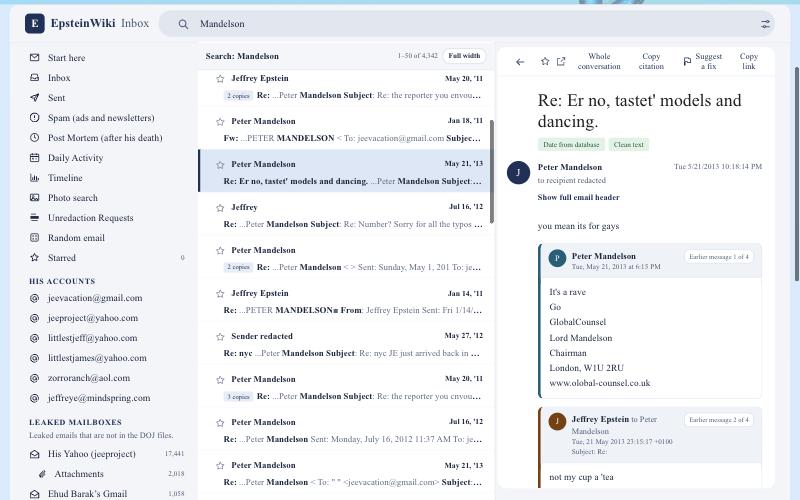
Click any email on a wide screen and it opens right next to your list, the way Gmail and Outlook work. Your place in the list stays put. Keep clicking down the list and read one email after another without ever hitting the back button.
Long reply chains get split into neat cards, so you can see who said what and when. No more scrolling through ten copies of the same quoted message, trying to work out who replied to whom.
A Profile for Every Person
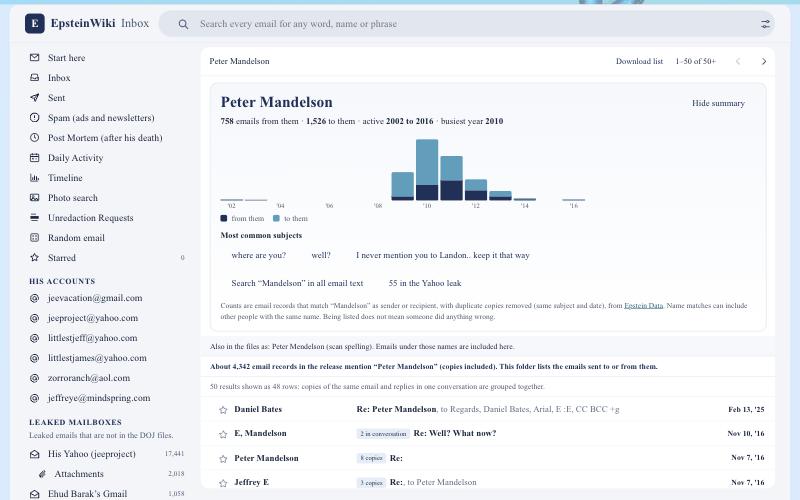
Click a name under People and you get a summary card before the emails even load. Take Peter Mandelson: 758 emails from him, 1,526 to him, active from 2002 to 2016, busiest in 2010. There’s a year by year chart, his most common subjects, and a button showing his 55 emails in the Yahoo leak.
There are 59 people folders in all, from staff like Lesley Groff and Richard Kahn to names you’ve seen in the headlines. A quick reminder that we’ll keep repeating: appearing in an email does not mean someone did anything wrong. The inbox shows you the record. You decide what it means.
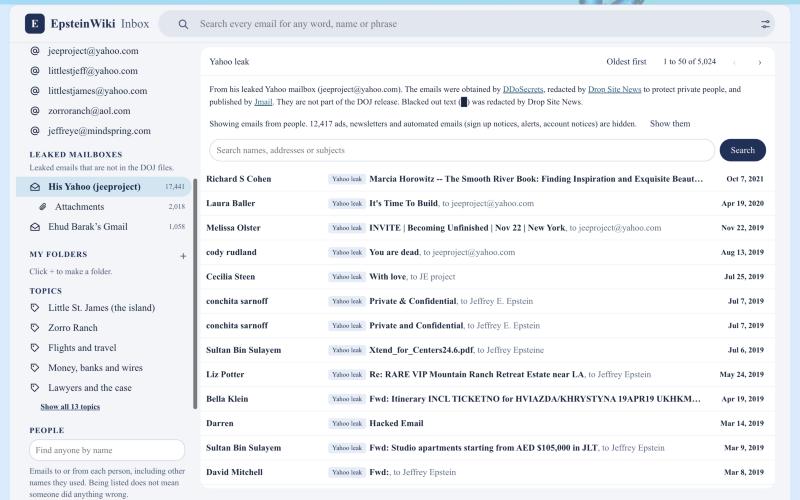
His Leaked Yahoo Mailbox, All 17,441 Emails
The DOJ never released the contents of jeeproject@yahoo.com. It leaked anyway. The emails were obtained by Distributed Denial of Secrets, redacted by Drop Site News to protect private people, and published by Jmail, the Gmail style Epstein archive built by Riley Walz and Luke Igel.
We brought all 17,441 of those emails into the inbox as full, credited copies. Ads and automated junk (12,417 of them) are tucked away by default, with one click to show everything. Nothing is hidden from you. It’s just organized so you can find the good stuff first.
The Attachments, Too
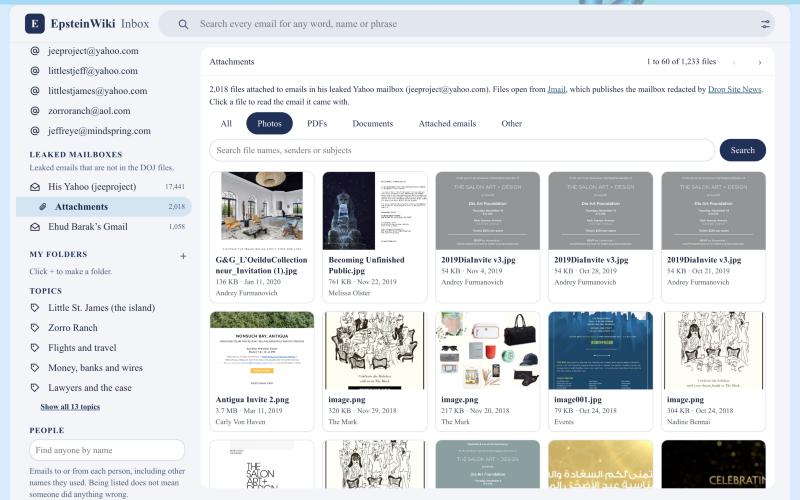
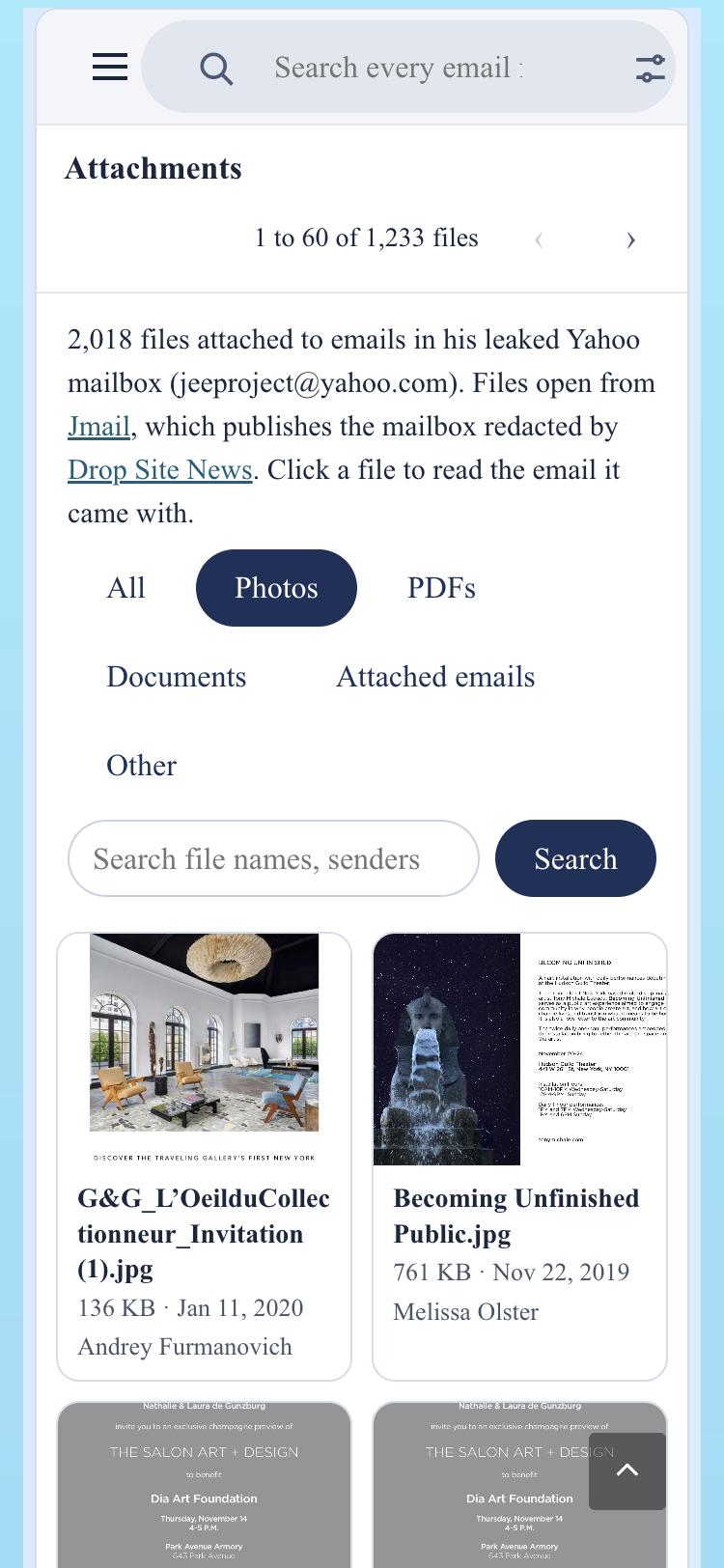
Open the Attachments folder and you’ll see 2,018 files that came attached to those Yahoo emails: photos, PDFs, invitations, documents and forwarded emails. Filter by type, search by file name or sender, and click any file to read the email it arrived with.
Gala invitations, art openings and travel itineraries. The paper trail of a social calendar that never seemed to slow down.
Ehud Barak’s Leaked Gmail
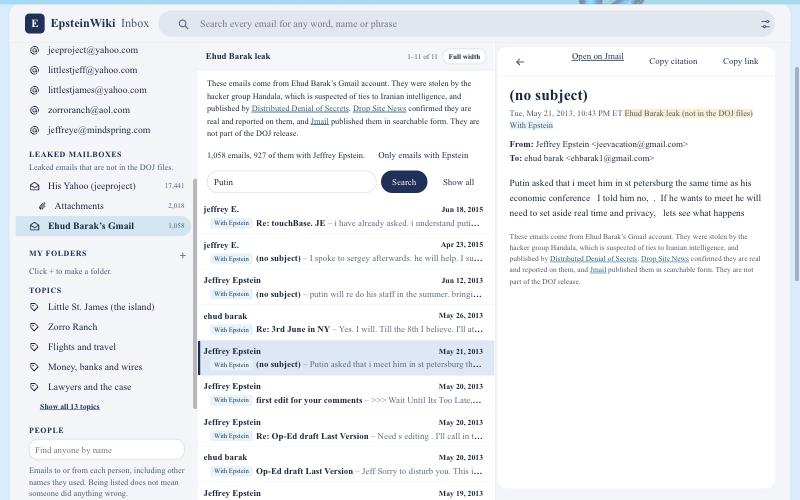
This one matters. Ehud Barak’s Gmail, former Prime Minister of Israel, was hacked by a group called Handala, which is suspected of ties to Iranian intelligence. The emails were published by DDoSecrets, and Drop Site News confirmed they are real. The inbox has all 1,058 emails that Jmail published, and 927 of them involve Epstein.
Search “Putin” and you’ll find a May 2013 email where Epstein tells Barak, “Putin asked that i meet him in st petersburg.” He told Barak he said no, because Putin would need to “set aside real time and privacy.” Read it yourself. Then read it again.
See the Whole Timeline
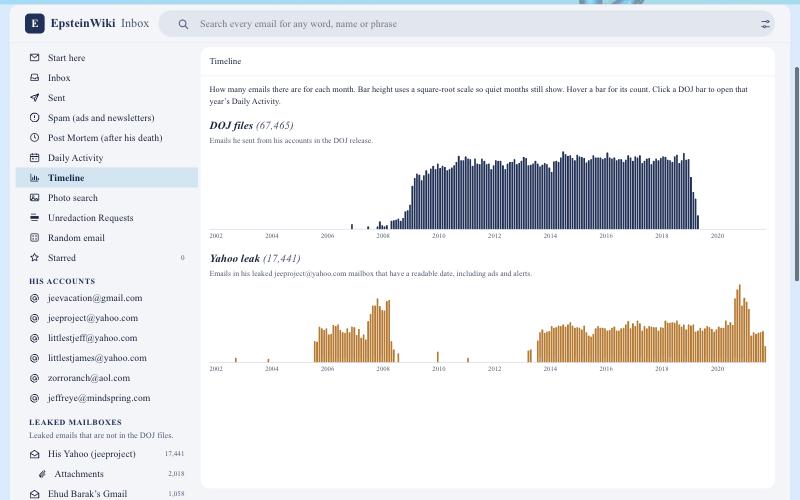
The Timeline view shows how many emails there are for every month, in two charts: the DOJ files and the Yahoo leak. You can watch his email habits grow, peak and stop. Click any DOJ bar to jump into that year’s Daily Activity.
Daily Activity, Day by Day
Daily Activity turns a year of email into a calendar, one square per day, with darker squares meaning busier days. Pick a year, spot the busiest days, and click any square to read what he sent and received. In 2015 alone, he sent at least 7,406 emails and received at least 9,358.
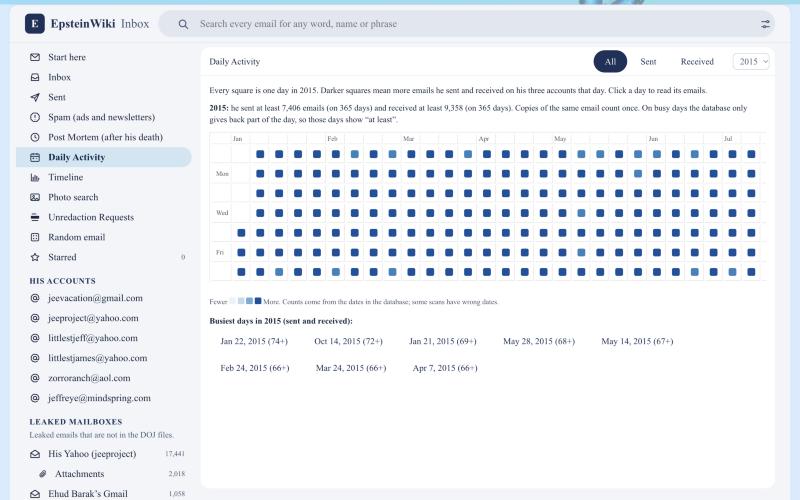
Photo Search
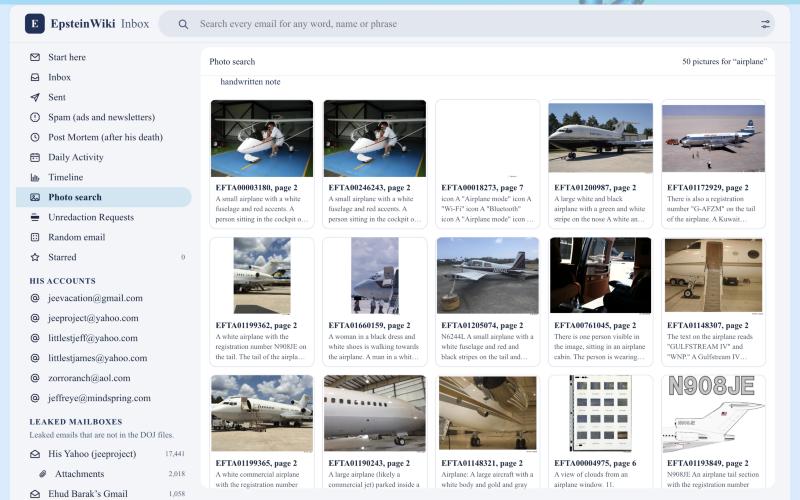
This one is pure sleuth candy. Photo search lets you search 92,000 pictures from the DOJ files by what’s in them. Type “airplane” and you get planes, including tail number N908JE. Try “beach,” “passport” or “island.” Each picture was described by AI at Epstein Data, so double check what you find, and click through to see the original page.
It Works on Your Phone
Every part of the inbox works on a phone. Search in line at the grocery store. Read the Barak emails on your lunch break. Sleuthing doesn’t keep office hours, and neither do we.
Credit Where It’s Due
None of this exists without the people who did the hard work first. Thank you to Rye Howard-Stone and Epstein Data for the searchable DOJ record that powers this inbox. To Jmail, Riley Walz and Luke Igel, who proved the world wanted to read these emails like email. To Drop Site News for verifying and redacting the leaks, and to DDoSecrets for making them public.
We stand on their shoulders. We just brought a better flashlight.
Go Dig
Open the Epstein Email Inbox and start reading. Star the emails that matter, save them to your own folders, and copy a citation with one click when you’re ready to share what you found.
The people in these emails counted on nobody reading them. Let’s prove them wrong.